



The lab,audit-ready.
Documents, training, equipment, temperatures and audits — every quality record in your laboratory, controlled in one system.
See the systemScrolling walks down a laboratory aisle past a technician at her instrument; the door at the end swings open onto a second lab where two scientists work at microscopes, and the view rises into the ceiling lights.
One laboratory system
One system for the whole laboratory —  every document controlled. Every instrument calibrated,
 every result traceable.
 Every audit, ready.
One platform
Seventeen modules for quality, people, equipment and access, built for clinical and testing laboratories.
One source of truth
Every SOP, log sheet, training record and CAPA lives in one place, versioned, signed and searchable.
Every role
From bench technologist to lab director, everyone sees exactly what they need and nothing they shouldn't.
Plan–Do–Check–Act
ContinuousImprovements
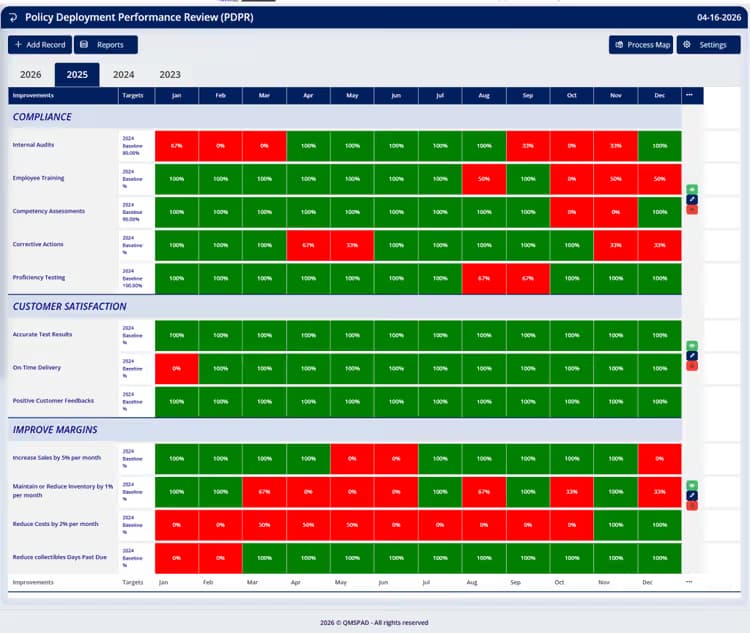
QMS Pad provides a comprehensive CI module to guide your organization on the journey of achieving excellence.
- Management commitment
- Measure performance and action items
- Display the roadmap via Plan–Do–Check–Act
- Display and share the results with employees and customers alike
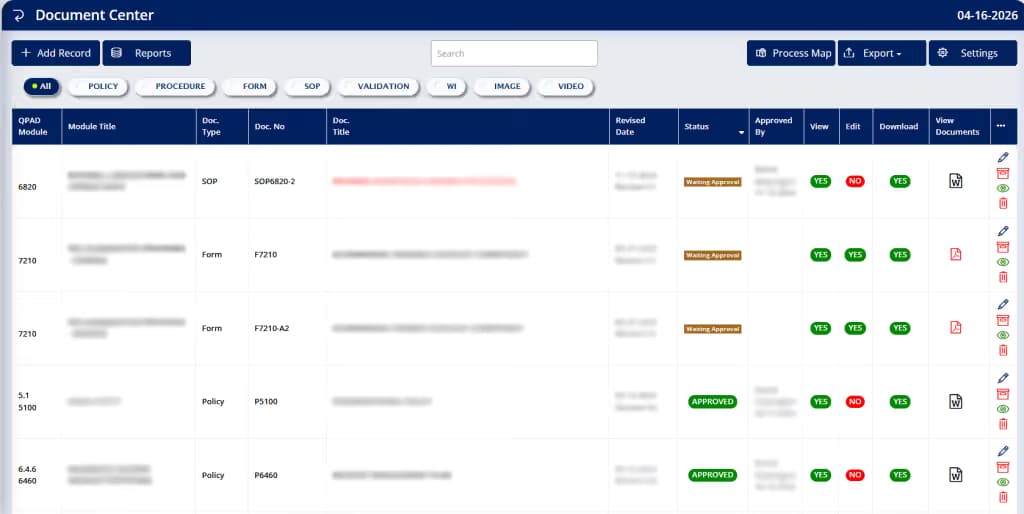
Controlled documents
Document Control& Quality Records
- All documents can be tailored to ISO, CLIA, COLA or CAP standards
- Maintain full control over the documents (who can do what): view, edit, delete and download
- Electronic approvals and email notifications
- Keep all of the latest revisions under full control
- View activity records of each document
- Email / share documents
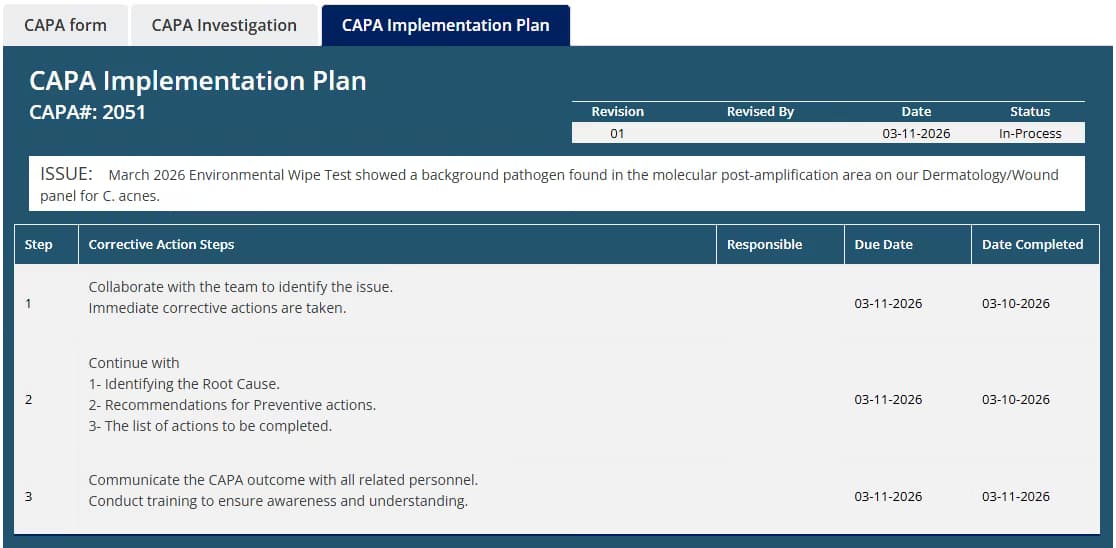
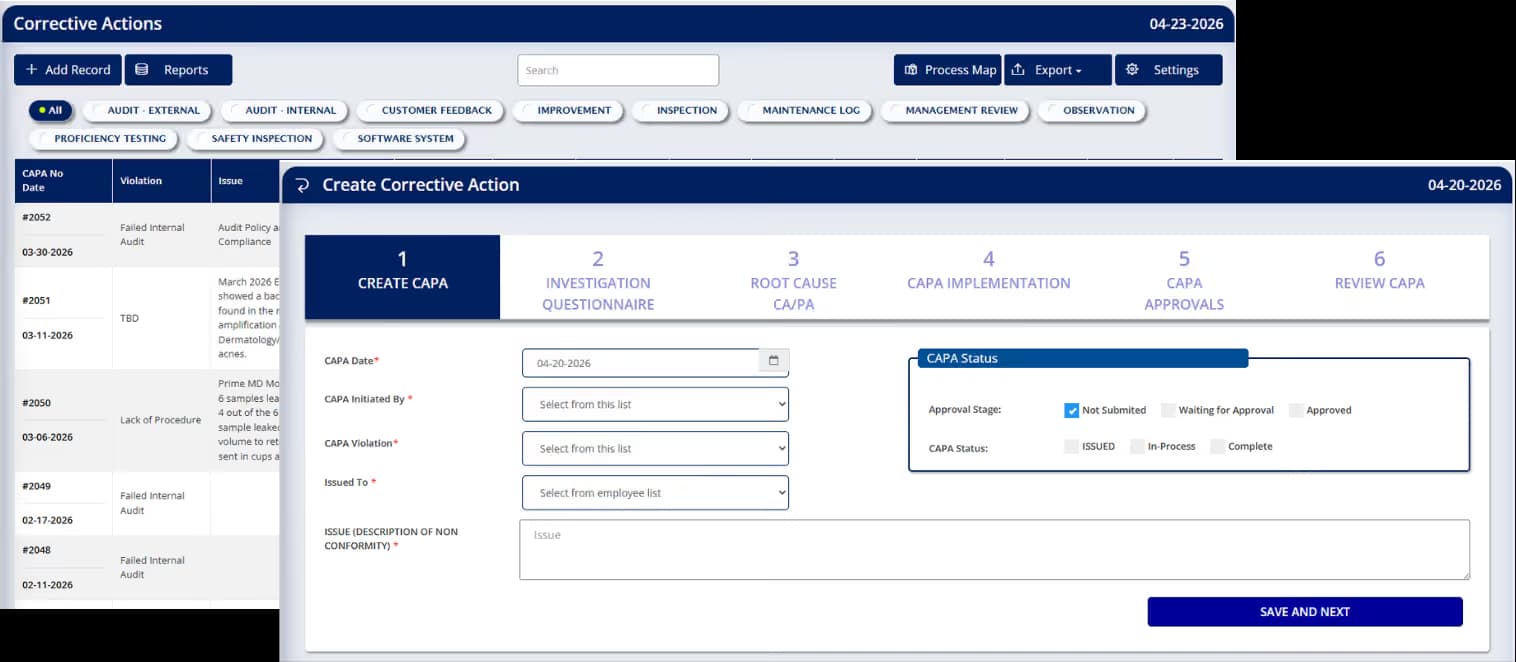
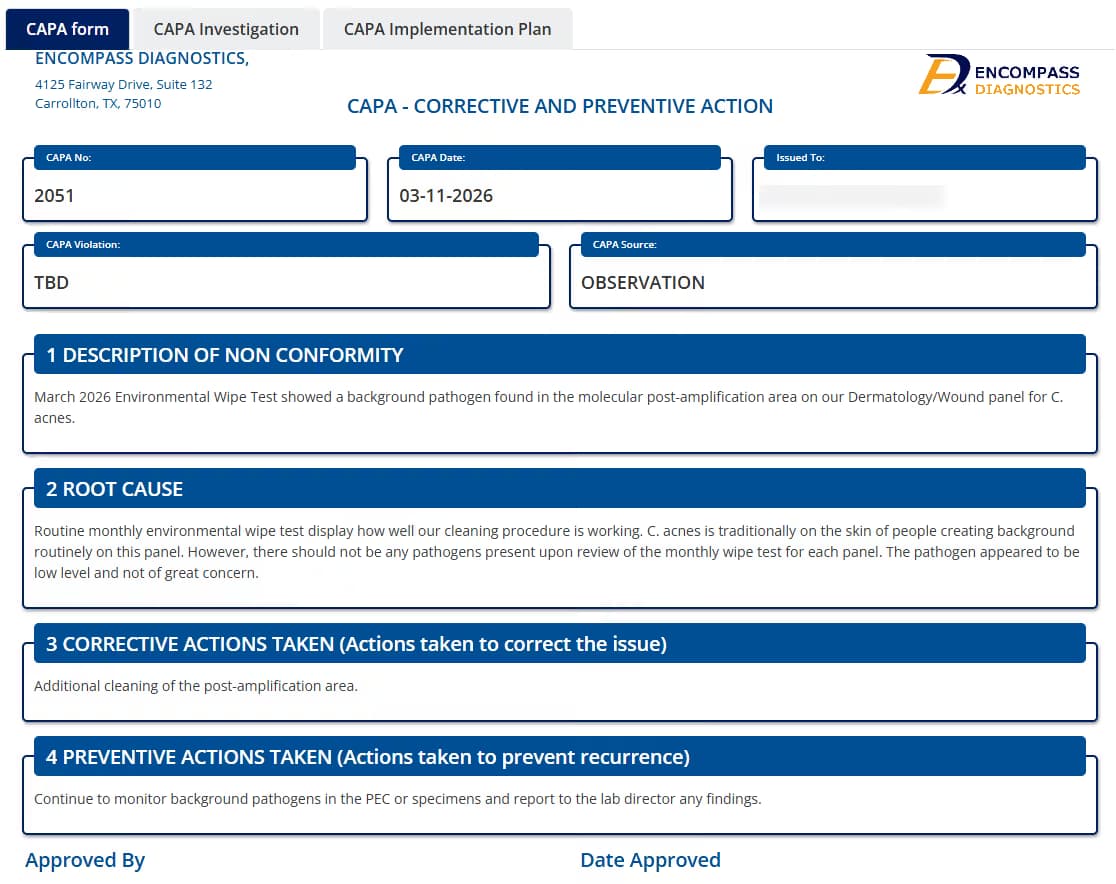
Corrective action
CAPA NCR Management.
Scheduled audits
InternalAudit.
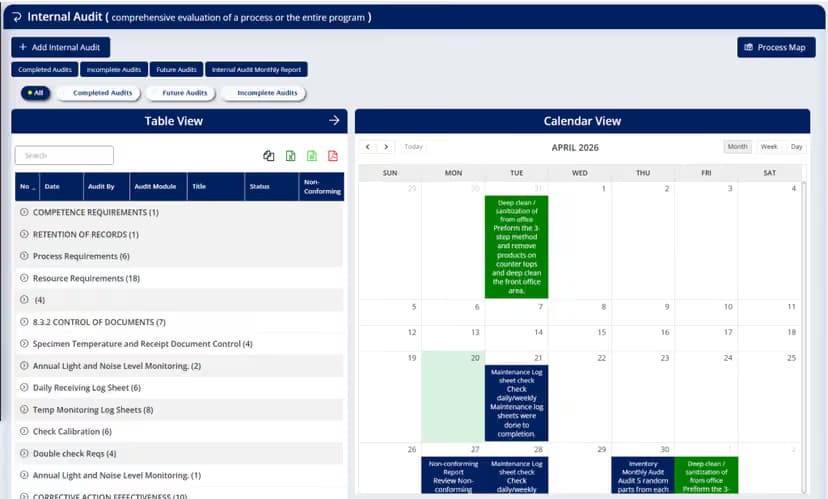
With QMS Pad, internal audits are planned at such intervals to provide information on the effectiveness of its management system.
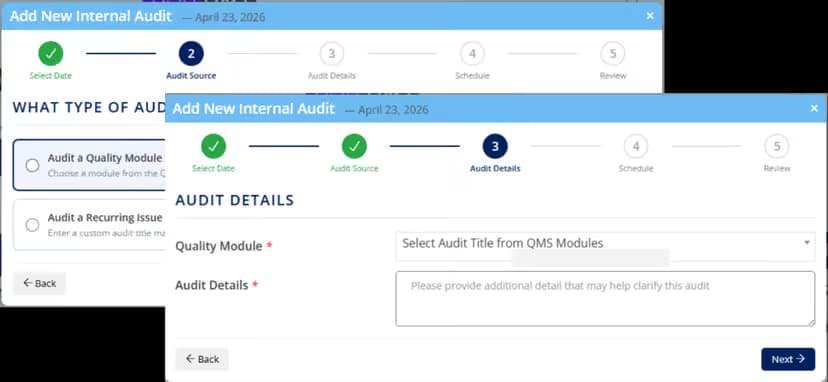
- 01Select date
- 02Audit source
- 03Audit details
- 04Schedule
- 05Review
01
An audit calendar
Results stay linked to the CAPA system, so a finding has a place to go.
02
Drawn from the quality manual
Audits are selected from the linked quality manual, module by module.
03
Failed results become CAPA
A failed internal audit is an input source for the Corrective Action system.
Role competency
CompetencyAssessment
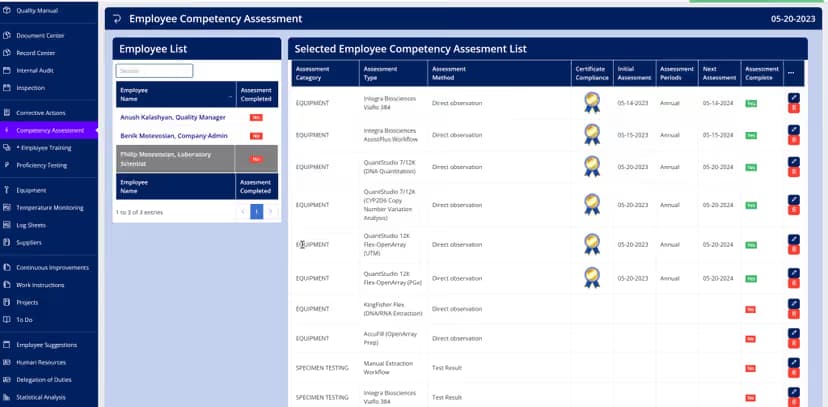
- Assessment methods and categories are designed to accommodate all your needs
- Competency assessments are tailored to the employee's role and job description along with the frequency
- Electronic notifications and reminders for upcoming assessments
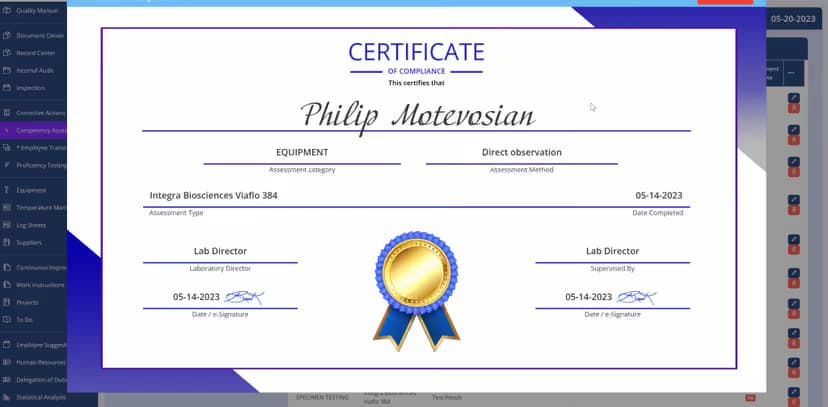
- For each completed assessment, the system will issue an approved certificate for your records
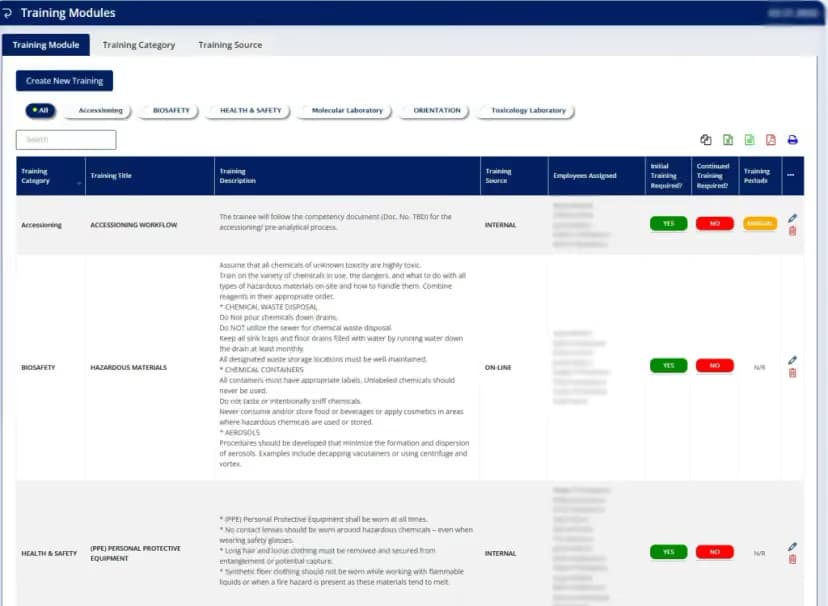
Training records
EmployeeTraining
All employee training needs are managed in one place.
- New employee orientation
- Health and Safety trainings
- Customized training categories and modules
- Manage the certification process for all the trainings, both internal and third party
- Receive electronic notifications for training due dates
Sensors and logsheets
Integrated Temperature and HumidityMonitoring with Automated Logsheets
Daily Temperature Log
Daily Humidity Log
The smart sensor
Readings every minute, logged for you.
- 01
Sensors
Take temperature, humidity, and barometric pressure readings once per minute.
- 02
Data protocols
The data is collected at one minute intervals and is stored within the QMS Pad database for each client. This data is then used to chart the temperature and humidity log over time. Upper and lower limits are managed in QMS Pad system settings. Notifications are generated for readings outside user-defined tolerances.
- 03
Long lifetime
Over 2 years (more in normal conditions, less in extreme cold).
- 04
Waterproof casing
Water-resistant temperature, humidity and barometric pressure smart sensor.
- Reading interval
- 1 min
- Reading interval
- Measurements: temp, humidity, pressure
- 3
- Measurements: temp, humidity, pressure
- Sensor lifetime
- 2+ yrs
- Sensor lifetime
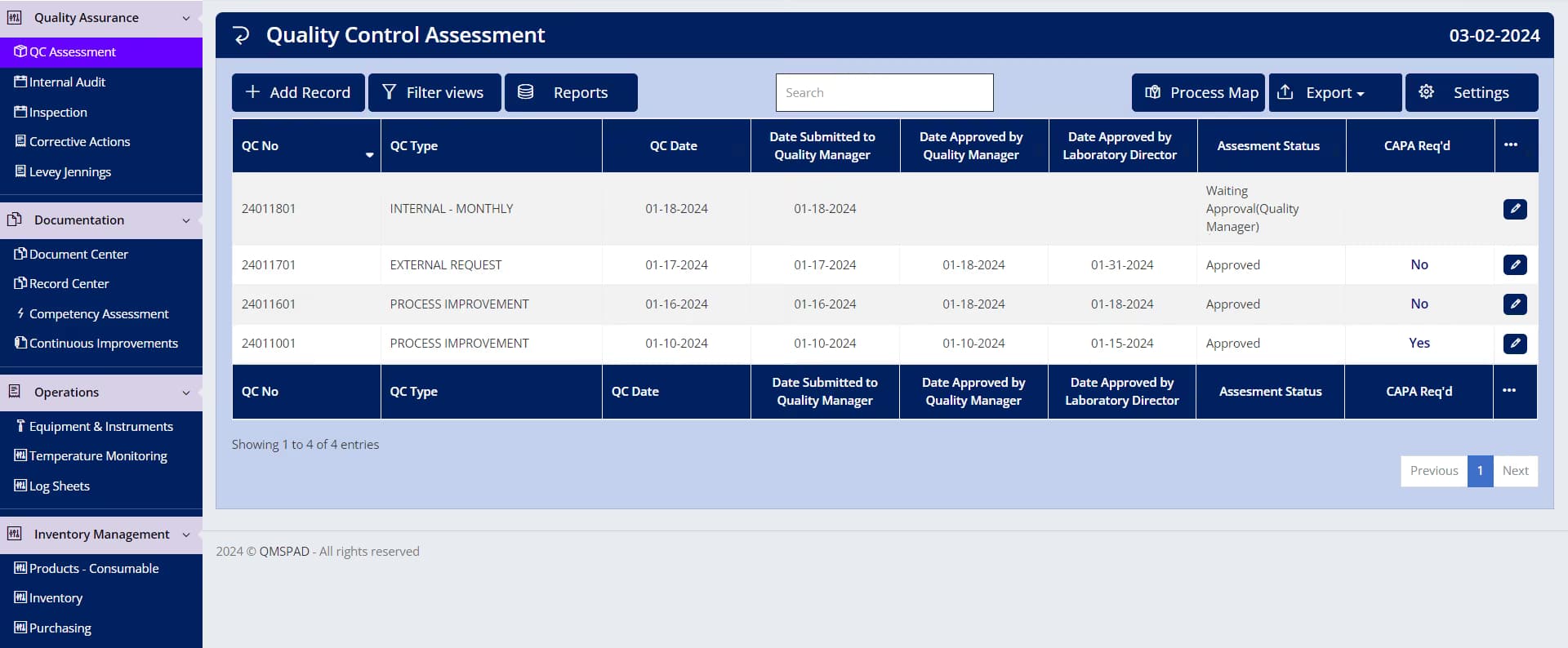
Monthly review
Monthly QualityAssessment.
- 01One list for the month’s quality control assessments
- 02Dates and approval status stay with each assessment
- 03A CAPA flag marks a result that needs action
Equipment logs
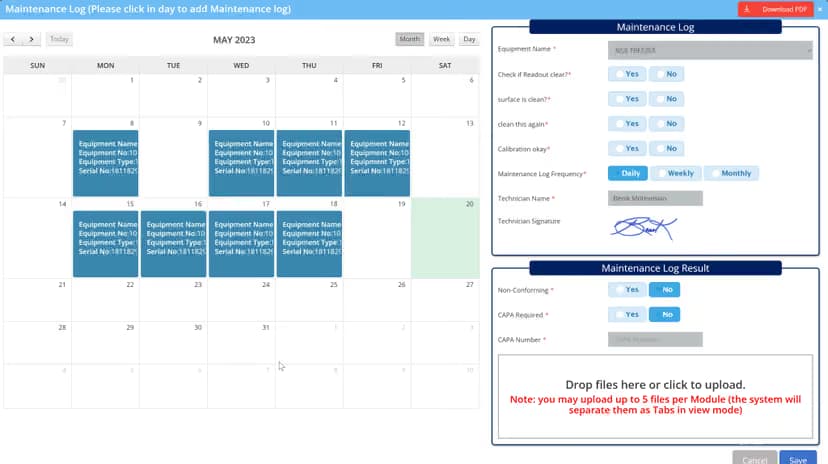
Calibration &Maintenance
- Automate all your daily maintenance logs
- System notification and reminders
- Create log sheets for your equipment and instruments with ease
- Reminder email notifications are sent to designated employees
- Log sheets can be printed, downloaded as PDF, or emailed
Refrigerators and freezers
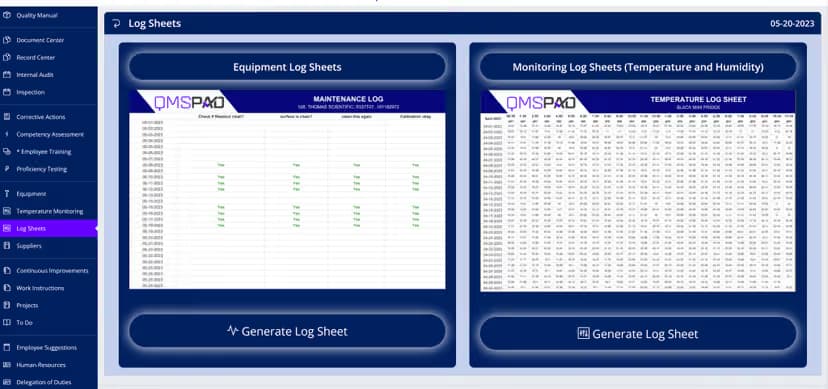
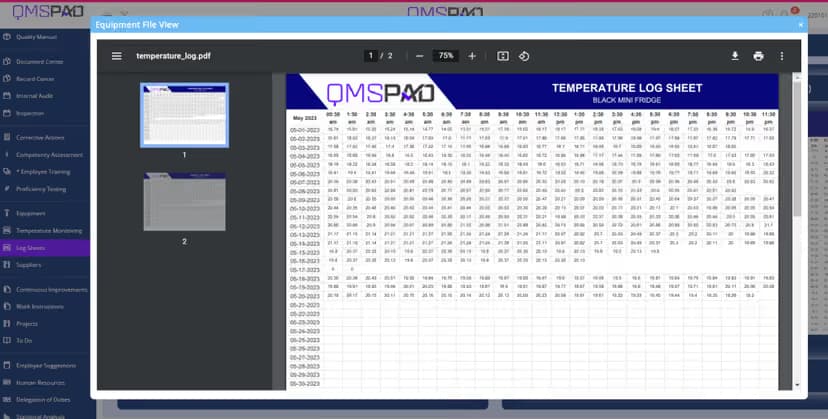
Temperature Log Sheets.
One system
No need for a separate system.
Every unit, logged
Automated log sheets for each piece of equipment.
Share it your way
All log sheets can be printed, downloaded, or emailed.
Ideas from the bench
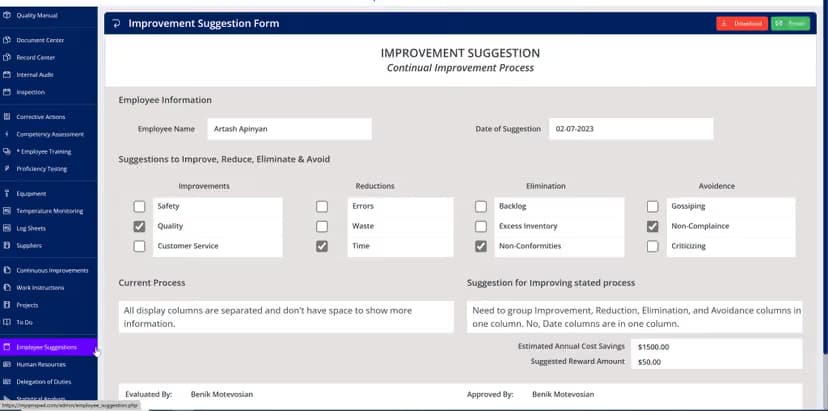
EmployeeSuggestions
Encourages employees to offer useful ideas or suggestions that may point out problems or identify potential improvements in the workplace. It is a systematic way of obtaining employee feedback and encouraging them to contribute.
- Improve customer service
- Eliminate waste
- Reduce cost
Employee engagement increases efficiency and provides continuous improvement.
Provides an easier connection between management and staff, and increases customer satisfaction.
Delegated duties
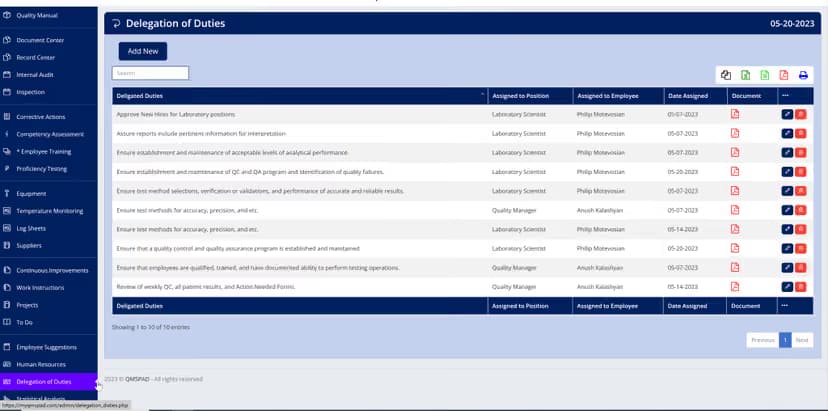
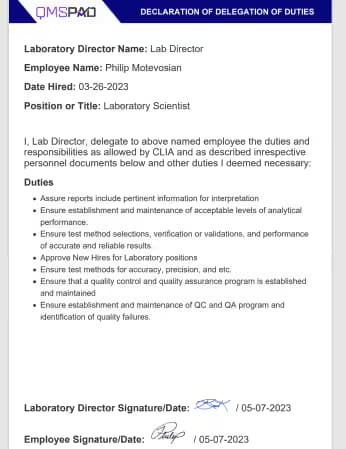
Laboratory Director'sDelegation of Duties
- The laboratory director may delegate selected duties or responsibilities to qualified and competent personnel.
- QMS Pad allows for such delegations to be documented.
- The laboratory director shall maintain the ultimate responsibility for the overall operation of the laboratory.

Every bench,in view.
On the bench
Fridges and freezers log themselves. Calibration comes due before it lapses. Reagent lots are traced from delivery to result. Your team works the bench and QMS Pad keeps the record.
- Temperature monitoring
- Calibration
- Inventory
Film: a slow pan across a laboratory team working at the bench.
Lots and purchasing
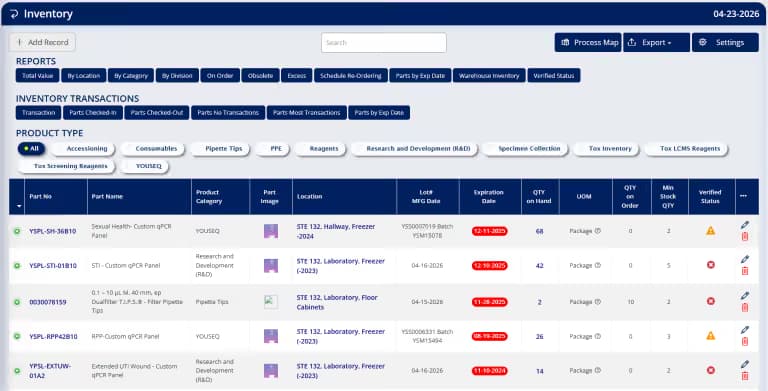
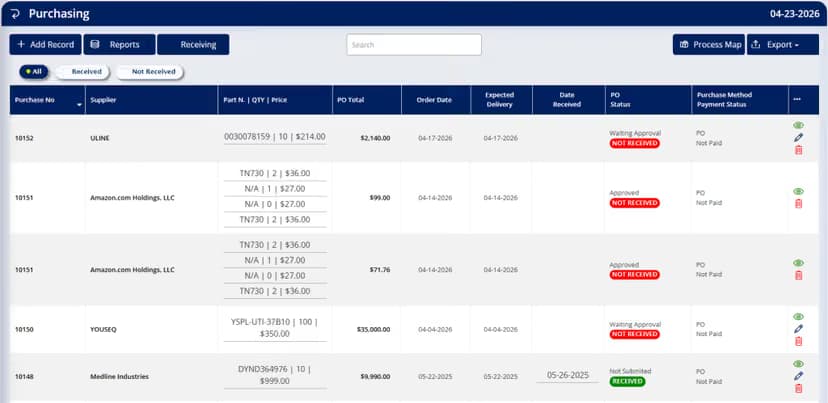
InventoryManagement
Stock and purchasing live together, so a reagent can be traced from the order to the shelf.
- Reagents and consumables listed by lot, location and quantity
- Purchasing from the supplier through to the date received
- What is on the shelf stays tied to the order that brought it in
Roles and measures
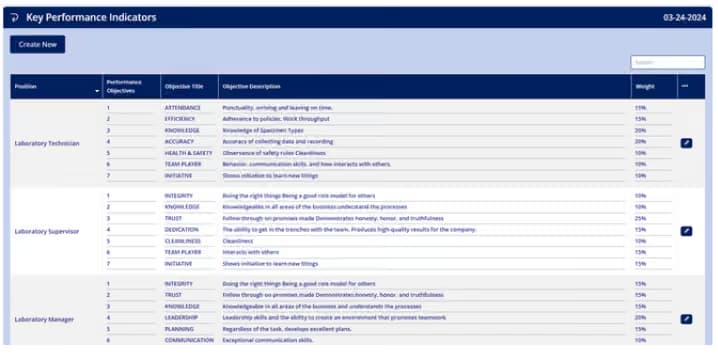
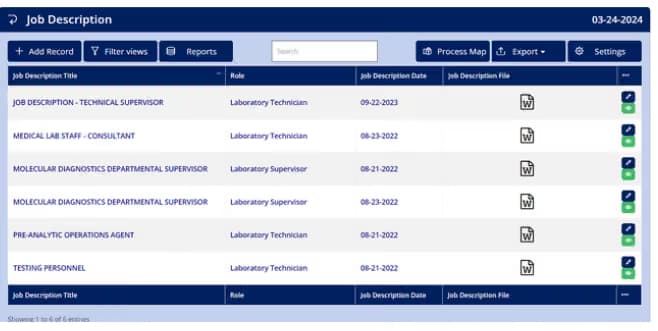
Job Descriptionswith Key Performance Indicators
Integrated job description requirements with key performance indicators for a simple and effective performance appraisal.
Appraisal scoring
Performance Evaluation.
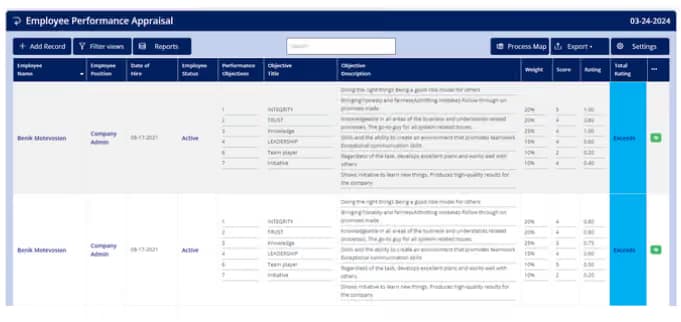
No more awkward appraisals
No more awkward feeling for performance appraisal.
Scoring that reads clearly
Easy to understand evaluation scoring.
Set up your way
All parameters customizable within the settings.
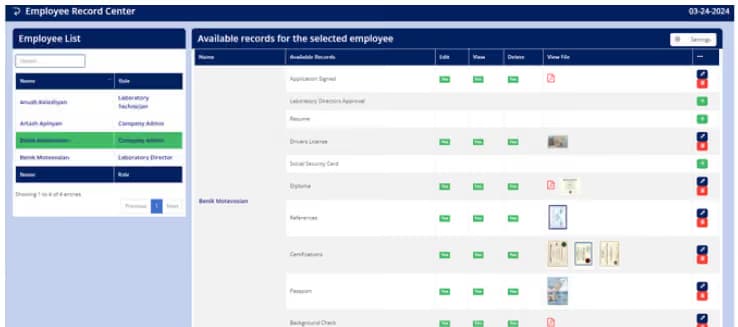
Personnel files
EmployeeRecords
- One file per personChoose a person and the records that belong to them open together.
- Fully securedAll records are fully secured.
- Watched accessAccess controlled and monitored.
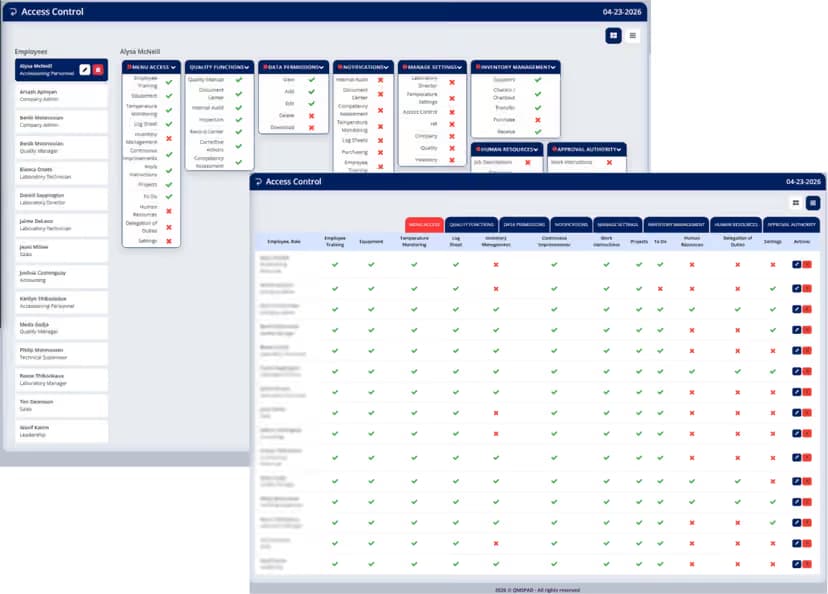
Roles and permissions
Access Control
- Full control over users and permissions
- Access levels based on roles
- Designate approval authorities
Permissions by role
Example| Role | View | Add | Edit | Delete | Approve |
|---|---|---|---|---|---|
| Laboratory director | |||||
| Quality manager | |||||
| Supervisor | |||||
| Technologist |
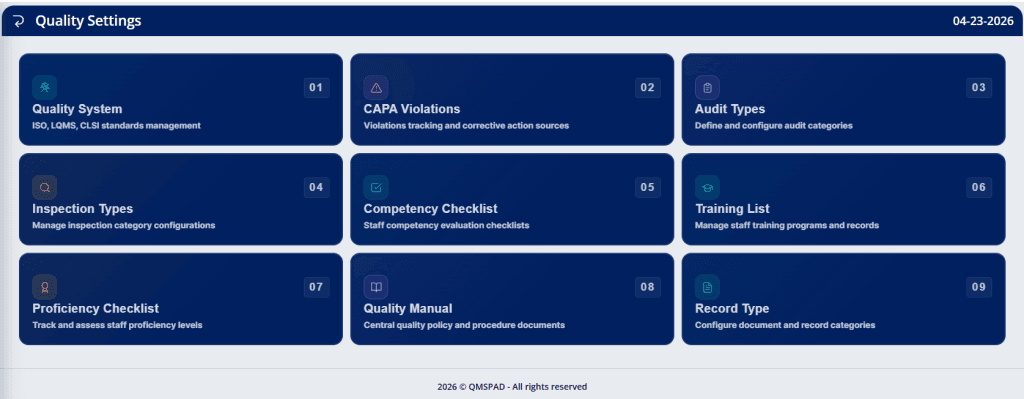
Set up once
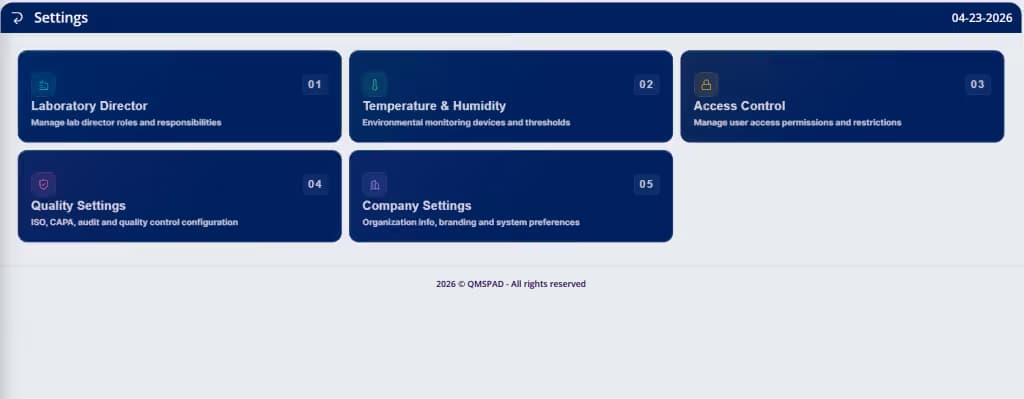
QualitySettings.
Integration
Every module, connected
An end-to-end solution to manage your business and unite your team.
- Access controls over every process
- Manage approvals (all electronic, all super easy via email)
- Manage user roles and functions with the click of a button (Add, Edit, Delete, Upload, & Download)
- Designate notification distributions
- Process maps for every module
- Variety of views and reports for everything
Film — Site walkthrough
Watch the lab, audit-ready.
A narrated tour of QMS Pad — from the laboratory aisle through every quality module, About, and Contact — so you can see what the system is for before you book a demo.